Editing · 3 min read
AI Zombie Love Story Reels Editing: Make the Moment Count
Published · AI Zombie Trend
A short zombie love story Reel needs a moment that makes you pause: a familiar face, a hesitant embrace or a memory of better days. Start with a scene made from your own photos, then give the reunion room to breathe. A few careful edits are usually enough.
In this article
Pick a story with a clear emotional turn
Think of the video in three parts: the encounter, the moment of recognition and the reunion or memory. That small change is enough to carry a short clip.
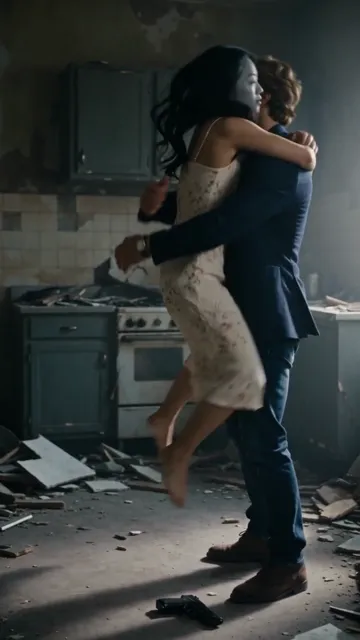
If you want to recreate the feeling of an AI zombie love story you saw, notice what moved you. Was it the pause before the hug, the change from a ruined room to a sunny field, or the final look between the characters? Choose a scene with a similar mood, using your own photos.
Find a scene for your story — Compare reunions, quiet dinners and different endings.
Create your clip with our tool
Choose a prepared story in Zombie Trend AI and upload two adult portraits you have permission to use. The scene is already set, so there is no prompt to write. Check the selected story’s length and shape before creating.
Watch your result, then download the clip you want to edit. Save it before the private link expires after one hour. If a face or movement looks wrong, it is better to choose another result than try to hide it with captions.
Make your zombie love story video — Choose a story and add your two photos.
See the download steps — Keep a copy of your finished clip.
Keep both characters in the frame
A portrait clip is a convenient starting point for a Reel when your chosen story supports it. If you crop a square or landscape video, make sure you can still see both faces and the embrace. Keeping the full scene inside a background frame may work better than cutting one person out.
Trim any empty time at the start or end, but leave the moment of recognition intact. Avoid speeding up a gentle gesture so much that it feels rushed.
- Open with a shot that makes the encounter easy to understand.
- Keep the pause or gesture that explains why the characters come together.
- Let the warmer scene or final expression stay on screen long enough to register.
Let captions and music support the moment
One short line can set the mood: “Even after the world ended, I knew you.” Place it where it does not cover either face, and check that it stays readable on a phone.
Listen to the clip before adding music. If it already has a soundtrack you like, you may not need another one. If you replace it, use music you have permission to share and keep the volume even across the transition.
Use your usual video editor for trimming, captions and music after downloading. The most useful effect may be a small color change between the tense encounter and the warm memory; too many flashes or overlays can hide the expressions.
Give your photos a story
Choose a scene, add two photos and make your own zombie video.
Choose your photos